How To Use Snapchat Online Without Download The Application?
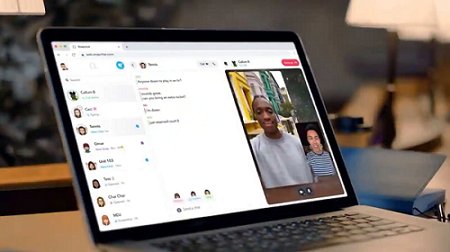
Snapchat is widely regarded as the best messaging app in the world. Although Facebook and other social networking sites are accessible through desktop computers, Snapchat wasn't available on the web for quite some time. However, recently, the social media firm Snapchat announced Snapchat for Web, which enables users to carry on their Snapchat chats on a web browser.
How To Use Snapchat Online Without Download The Application?
Now, you can make and receive video and phone calls and send and receive Snaps with text. But if you want to learn how to log into Snapchat online, you're at the right place. In this article, you'll discover the right way to log into the Snapchat web. Let's get into the details!
Part 1: Can I Log into Snapchat without the App?
Yes, it is possible to log into Snapchat without the app. Since the company has now introduced Snapchat web, you can easily use Snapchat on your web browser on any device. You can now continue your Snap Streaks through your laptop without your device.
The Snapchat Web allows you to chat with your loved ones. You can make and receive Snapchat while using the Snapchat web. Moreover, you can also use Snapchat web to view other people's stories and easily react to their messages. You can also use AirDroid Web to use Snapchat on your computer.
Part 2: 2 Proven Ways to Log into Snapchat Online
Wondering how to log into Snapchat online? You'll find the answer in this section! Snapchat being very late to provide a web application for their platform has people wondering how they can log into the web application. To help them, we've provided the finest ways to do it, which include:
Snapchat Web – Official
Snapchat is a fun software that allows us to preserve memories and share pictures in real-time with one another. Snapchat recently released an online version of its platform, which caused around thirty percent of the company's users to switch from the mobile application to the web version.
It is now only accessible on Chrome and Microsoft Edge, so if you want to talk to your friends and family, keep up with your Snap Streaks, and make and take calls, you'll need one of those browsers.
To understand how to log into Snapchat via the Snapchat web version, follow the steps below:
Go to the Snapchat Web on Google Chrome or Microsoft Edge.
Enter your Snapchat credentials in the required fields.
After that, click on Log In to log into the Snapchat web.
AirDroid Web – Recommend
If you don't want to use Microsoft Edge or Google Chrome to access Snapchat online, AirDroid Web is your best bet! AirDroid Web's remote control feature can connect your phone to the web browser so that you can log into Snapchat online.
AirDroid Personal has been lauded by the media and millions of users across the globe for its valuable features and pleasant experience. Over the Internet, AirDroid Web is compatible with and supports all leading platforms. If you need a way to manage your smartphone devices, go no further than AirDroid Web, which comes with everything you want, including a web-based interface.
To understand how to log into Snapchat online using AirDroid Web, follow the steps below:
Download and install AirDroid Personal on your mobile phone and set up an AirDroid account. After that, launch the tool and allow the required permissions.
Now, go to AirDroid Web on your computer and log in with the same AirDroid credentials.
Click on the Control option from the AirDroid web menu on your computer to start the Remote Control connection with your phone. After successfully establishing the connection, your screen will be mirrored to the AirDroid Web through which you can easily access Snapchat.
Part 3: What Can You Do on the Snapchat Web Version?
If you want to post pictures to your Story or email them to your friends, you should probably use your phone rather than the online version of Snapchat since it is more focused on the conversation features of the app. Some of the main features of the Snapchat web version are:
The web version of Snapchat offers better room for the chat window, and it also displays all the conversations that you are currently having, making it simple for you to switch between them. If you use Snapchat mainly for sending direct messages, participating in group chats, or making calls, you will probably find it convenient because you do not need to pull out your phone as often.


Comments
Post a Comment